What is Meal7?
Meal7 is a recipe organizer, meal planner, and grocery list in one
app. Import and save recipes from Instagram, TikTok, Facebook,
YouTube, Pinterest, any website, photos, or PDFs, or write your
own. You can also generate a recipe from the ingredients you have
or a dish name or description. Then plan your week with your own
daily goals, shop from a grocery list built for you, and track
nutrition and cost for every recipe.
How do I get recipes into Meal7?
Four ways to add a recipe:
-
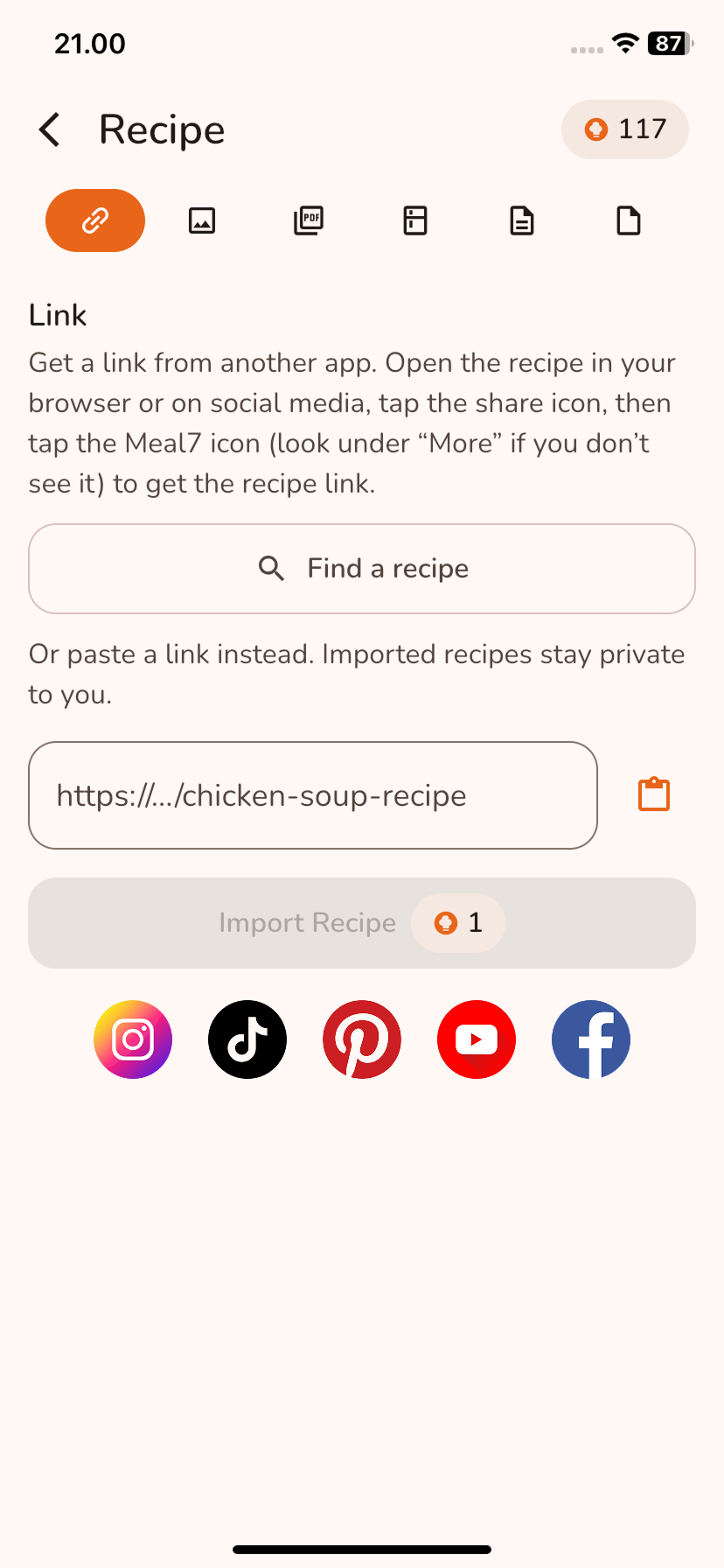
Import one from a URL, or share it straight from Instagram,
Facebook, TikTok, YouTube, Pinterest, or your browser.
-
Import from a few images or a PDF — a cookbook page, a
handwritten recipe, or a screenshot from social media.
-
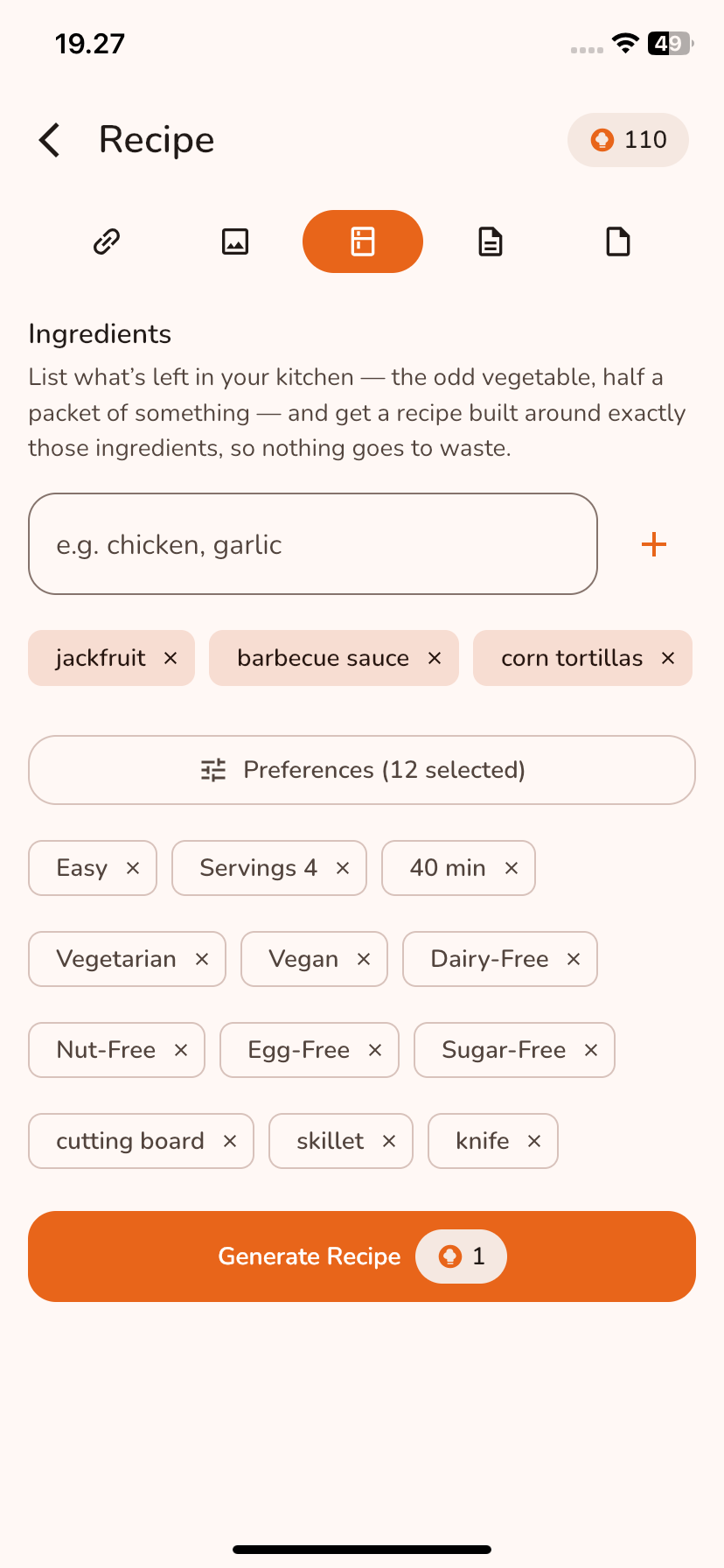
Type the ingredients you have or describe a dish — a name like
"butter chicken", or just an idea in your own words — and Meal7
writes the full recipe for you.
-
Write your own recipe from scratch and get an instant nutrition
estimate.
Do I lose my recipe if my connection drops or I leave the app?
Not necessarily. Generating and importing keep running when you
leave the screen, and Meal7 lets you know when the recipe is
ready. If your connection drops or you leave the app, the recipe
may still finish, so check Unsaved Recipes in a moment.
Can I customize or modify a recipe?
Yes, two ways:
-
Ask in plain language to tweak it — swap an ingredient, adjust
the servings, make it spicier, make it lighter — and Meal7
rewrites the recipe around your change, as many times as you
like.
-
Edit it directly yourself: ingredients, steps, nutrition, notes,
and more.
Does Meal7 track ingredient prices or cost?
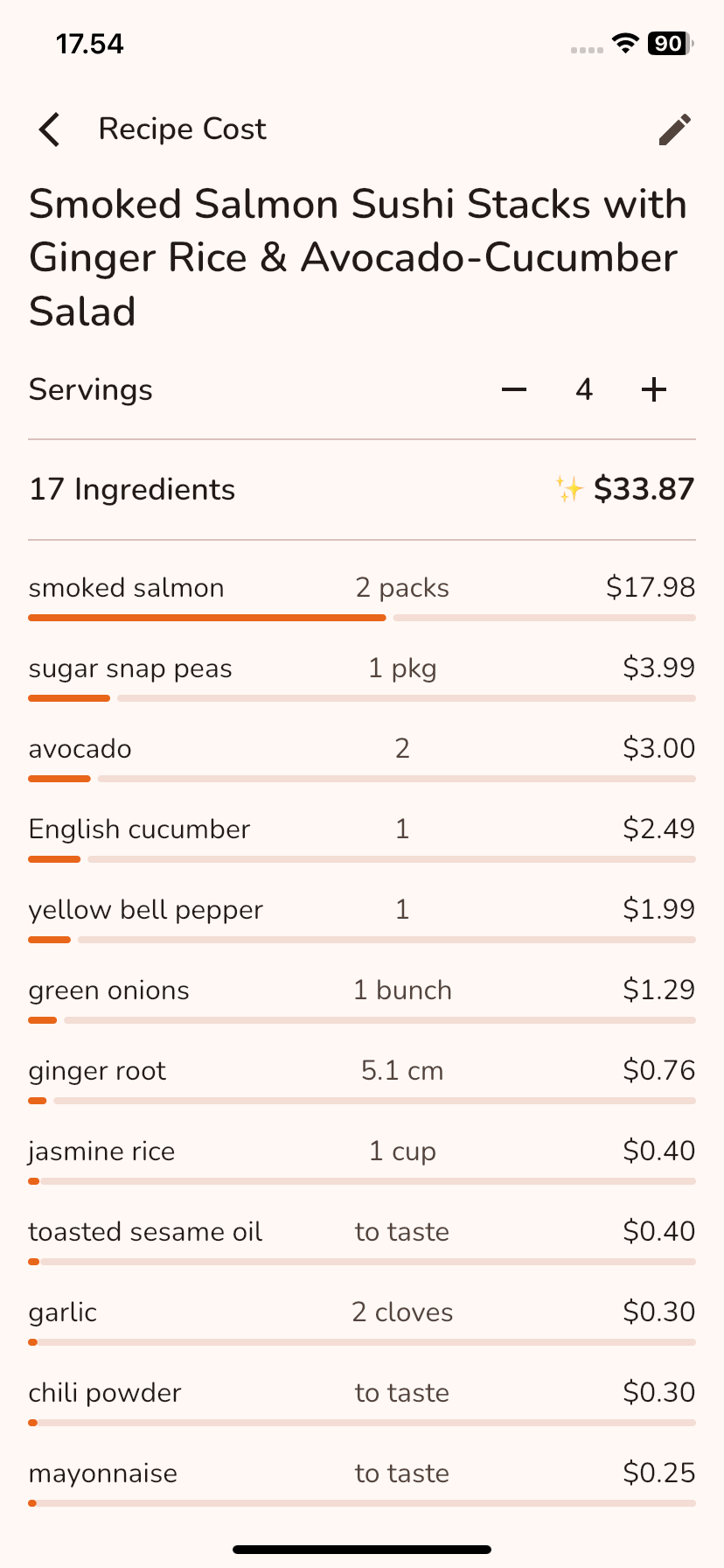
Yes. Set a price for any ingredient once, in your own currency, or
let Meal7 estimate it with AI. Recipes, your meal plan, and your
grocery list all add it up automatically, so you always know what
your week costs to make.
Can Meal7 help me plan my meals for the week?
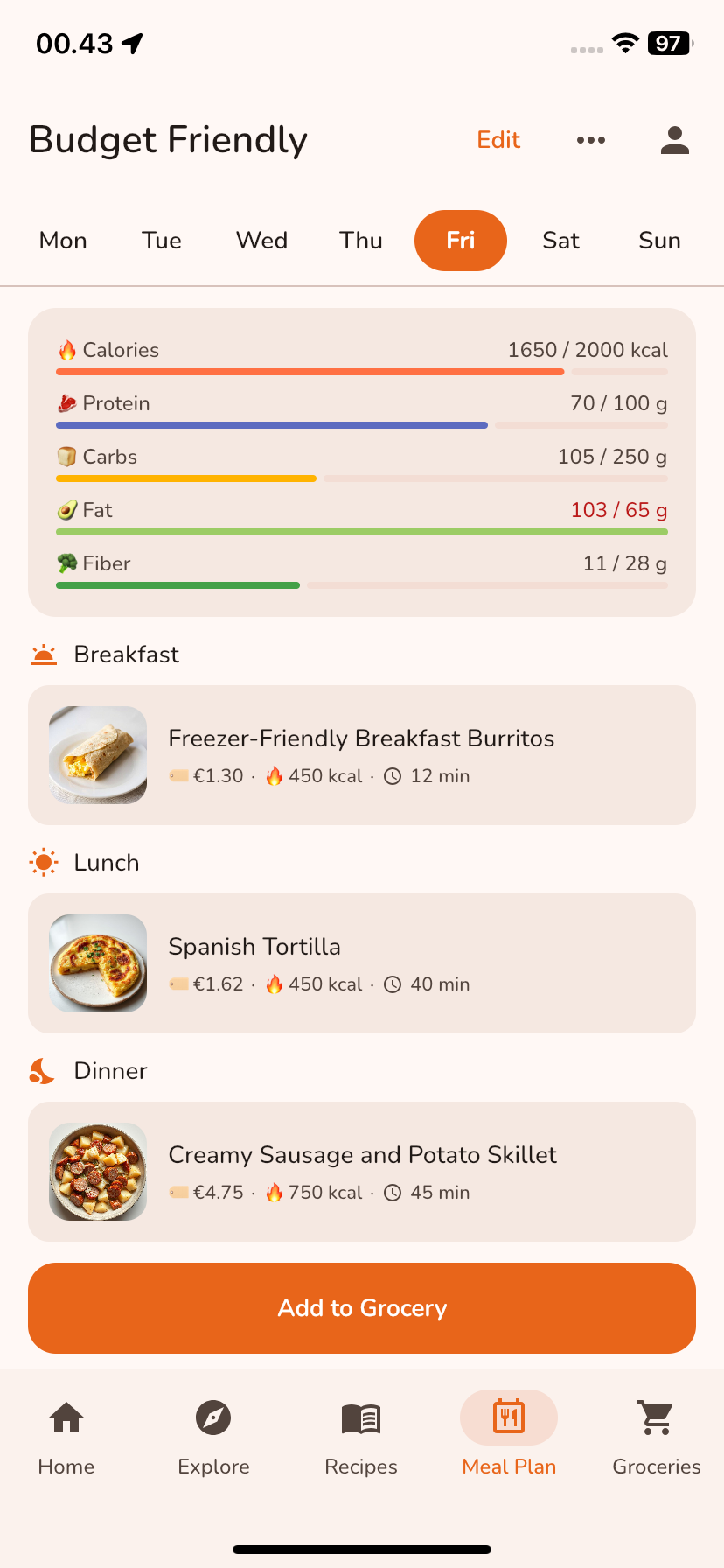
Yes. The meal planner covers breakfast, lunch, dinner, and snacks
for all seven days. You can drop in your own saved recipes, copy
and paste them between slots, set nutrition goals per day, or let
Meal7 autofill the empty slots for you, then print the plan as a
weekly grid.
Free accounts get one active plan; Premium lets you keep several
side by side, such as a budget week, a high-protein week, or one
for the whole family, and switch between them whenever you want.
Any plan can be shared with anyone.
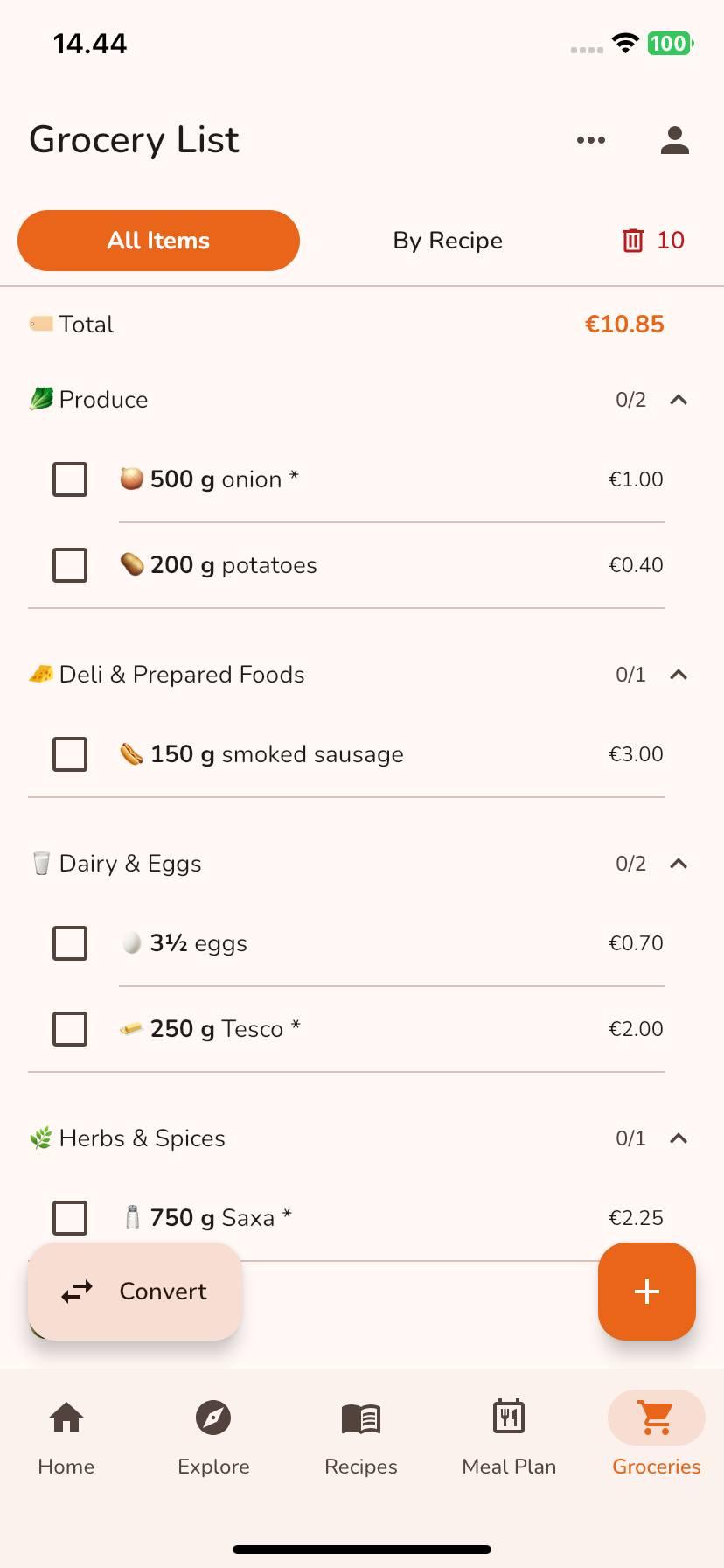
Can Meal7 create a grocery list from my recipes or meal plan?
Yes. Send a single recipe or a whole week's plan to the grocery
list and Meal7 groups everything by category, so one pass through
the shop covers it.
Can I organize or edit my grocery list?
Yes. Items are grouped by category, and you can drag categories
into whatever order suits how you shop. Tap any item to edit its
name, amount, or unit, or move it to a different category. Meal7
can also remember how you actually buy something — like turning "2
tsp" into "1 packet" — and suggest it again next time, always with
your approval.
Does Meal7 provide nutrition information?
Every recipe shows calories, protein, carbs, fat, and fibre per
serving, and the meal planner adds them up per day against the
goals you set.
These figures are AI estimates meant for general guidance. They
are not medical or dietary advice — check with a qualified
professional for health decisions, and always check ingredients
against your own allergies.
What languages does Meal7 support?
Meal7 is available in English (US and UK), Arabic, Chinese (Simplified and
Traditional), Czech, Danish, Dutch, Finnish, French (France and
Canada), German, Greek, Hebrew, Indonesian, Italian, Japanese,
Korean, Norwegian, Polish, Portuguese (Brazil and Portugal),
Romanian, Russian,
Spanish (Latin America and Spain), Swedish, Thai, Turkish, and
Vietnamese. Recipes
are generated in your language, and you can search recipes
written in other languages too.